
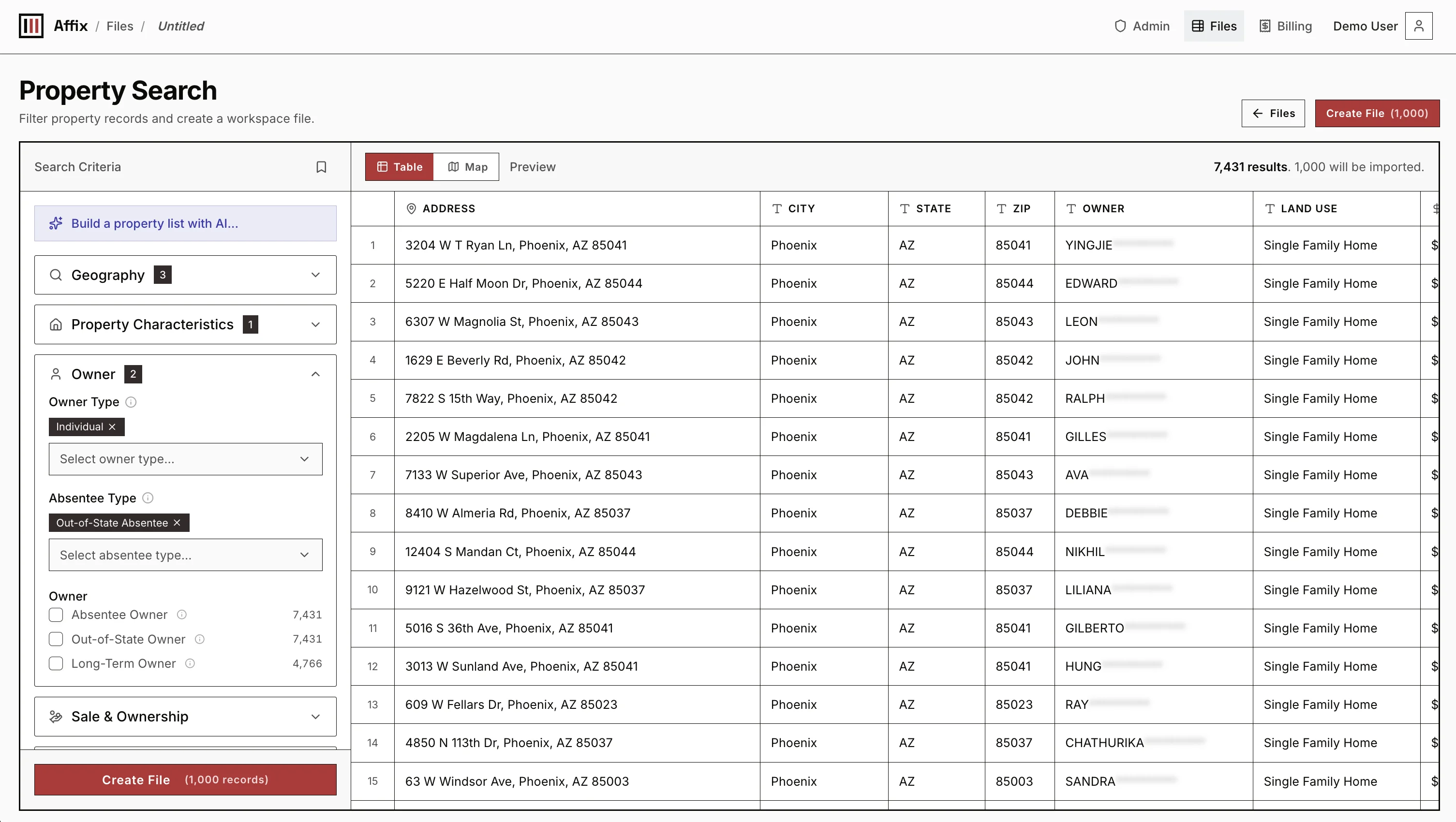
Search CriteriaProperty filters
Geography18 fields
Property42 fields
Owner31 fields
Sale & Ownership27 fields
Financial19 fields
Tax16 fields
Mortgage18 fields
Distress7 fields
Filter property records by equity, ownership, and location. Preview matching owners live for free, append phone and email data on demand, and export straight to CSV.
List building
Pick a common property list or start from scratch. Either way, you get the same filter sections: Geography, Property, Owner, Sale & Ownership, Financial, Tax, Mortgage, and Distress. Adjust any field before you build the list.
Map selection
City, ZIP, and county boundaries are often too broad. Draw the exact streets or neighborhoods you want, then turn that area into a Geography filter for your list.
Enrich selected rows
38 rowsOwner contact data
Affix Contacts — Live Search
Searches public sources in real time. Lower cost, but may take longer.
Premium Contacts — API Data
Queries third-party contact data APIs for faster results.
Property & validation
Home Value
Pull current value estimates into new columns.
Geocode
Add coordinates, formatted address, and map links.
Mail Deliverability
Check and standardize mailing addresses.
DNC / Suppression Check
Screen found phones before outreach.
AI Agent
Create a custom research or cleanup column.
Enrichment
After you build or import a property list, choose the rows that need more data. Affix can add contacts, home values, geocodes, mail checks, DNC or suppression results, and AI columns to the same file for review and export.
Pricing
Start with 100 free credits. Use 1 credit per exported property record or completed Affix contact search. Provider-based enrichment pricing is shown before each run.
100 free credits included at signup
Every credit works the same — volume just changes the rate. Purchased credits never expire. Buy packs any time in billing.
For bulk property records, county coverage, custom exports, or data partnerships, reach out at hello@tryaffix.com.
FAQ
Short answers for the property data, list building, enrichment, and AI workflows Affix is built around.
Yes. Affix helps you build property owner lists from property records, owner fields, geography filters, mortgage, tax, sale, distress, enrichment, and AI columns.
Affix includes owner contact enrichment and skip tracing workflows, but it is broader than a lookup tool. You can search property records, filter markets, enrich selected owners, review the rows, and export a clean list.
You can work with geography, property, owner, sale, ownership, financial, tax, mortgage, and distress fields. Common starting points include absentee owners, vacant properties, tax delinquent properties, high-equity owners, pre-foreclosure records, and custom map areas.
Yes. Affix is designed so enrichment can be run on the rows that matter, instead of forcing every property owner through the same paid contact workflow.
AI columns help classify, score, summarize, or research rows in your property list so you can decide what to review, enrich, export, or contact first.
You can export property fields, owner fields, enrichment results, AI columns, source columns, and the columns needed for your outreach workflow.